
Getting started
Create your first LinkedIn outreach task
Follow the actual setup screens to select SNS marketing, enter your service details, sign in to LinkedIn, and create a task.
- Updated
- Published
On this page
Prepare your service URL and LinkedIn account
Have a page describing the service you want to promote and the LinkedIn account you will use for outreach ready. Signing in to Kachilu and signing in to LinkedIn are separate steps.
Use Save draft to keep your setup in progress. Create task at the end of setup prepares the task for execution.
1. Select SNS marketing
Open Create new task from the dashboard, select SNS marketing, and choose Next.
SNS direct recruiting and Form outreach are marked Coming soon in the current setup screen.
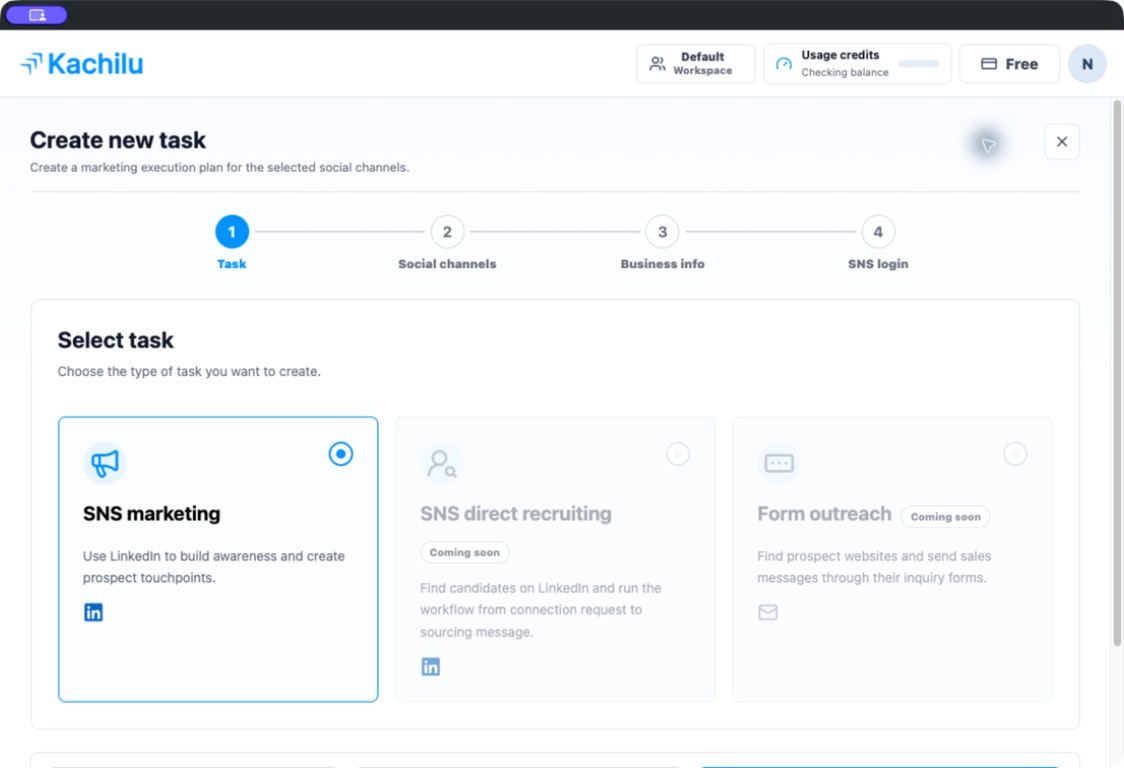
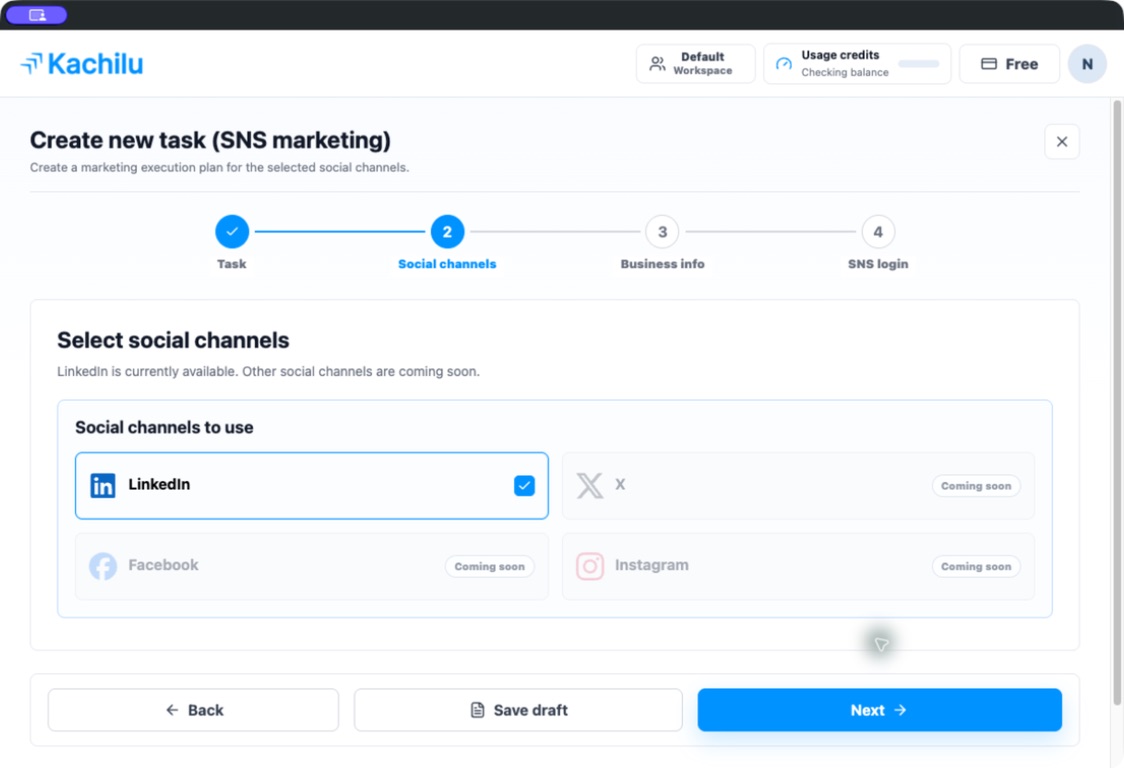
2. Select LinkedIn
Choose LinkedIn as the social channel. X, Facebook, and Instagram are currently marked Coming soon and cannot be selected.
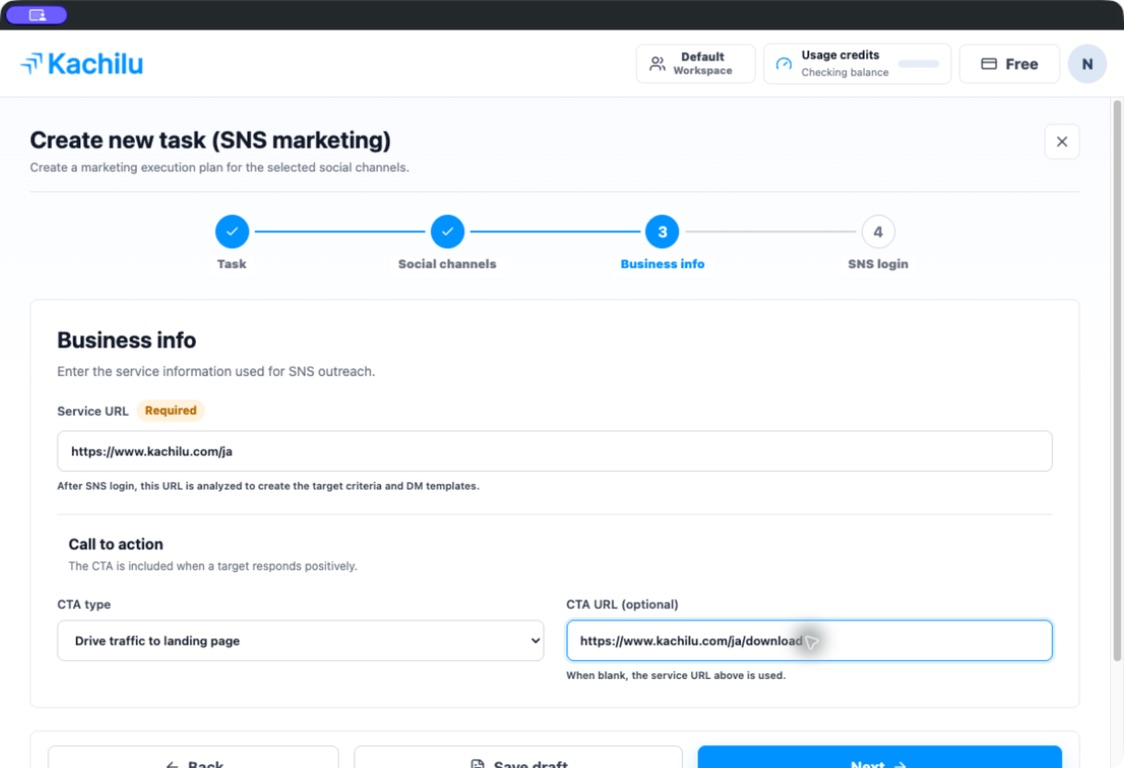
3. Enter your service details and CTA
Enter the page describing your service in Service URL. Choose the action you want to offer under CTA type. Enter a CTA URL if you want interested prospects to visit a different page.
The screenshot uses a service page and a download page as an example. Use the URLs for your own service.
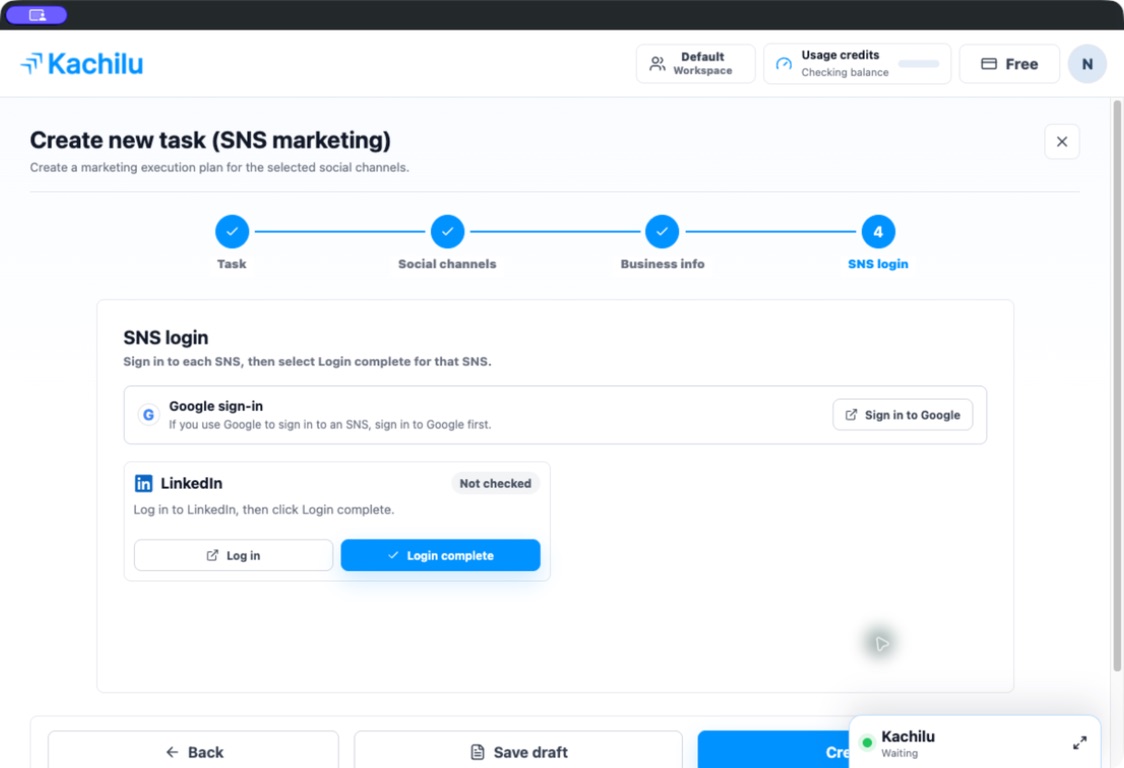
4. Confirm LinkedIn login and create the task
In SNS login, select Log in for LinkedIn. Sign in through Kachilu Browser, check that the correct account is ready, and select Login complete.
Select Create task to start service analysis and preparation of the DM templates and workflows. Completed setup activates the execution queue, so create the task when you are ready to run it. Stop on the dashboard stops the current run and future scheduled runs.
Review settings and candidates after creation
Use Tasks & execution to review messages, execution volume, and schedules. Use Candidates to review each prospect's progress. Stop execution while making changes, check that they have been saved and applied, then resume.
Related articles
Still need help?
Tell us the app version, when the problem occurred, the task type, and the message shown in the app. Do not send passwords or verification codes.
Contact support