
Execution & monitoring
Set execution volume, days, and times
Change the volume and recurring schedule for each task, then check upcoming work and whether execution is stopped.
- Updated
- Published
On this page
Open the task you want to change
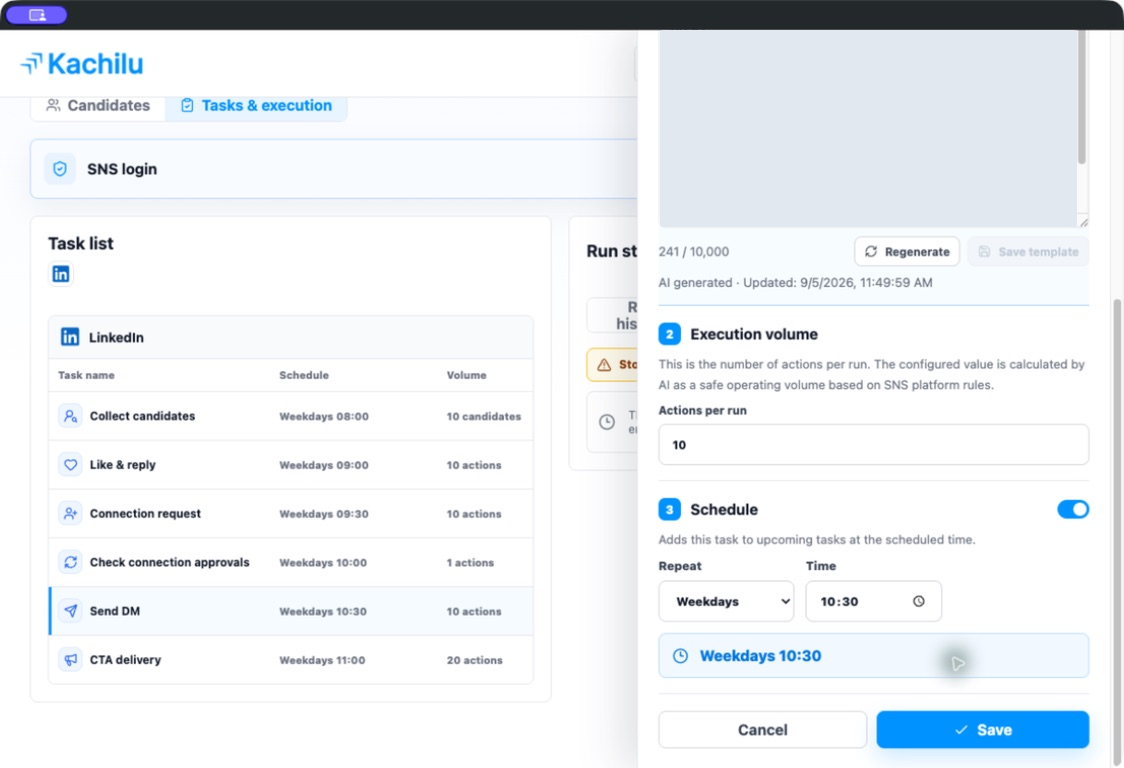
Select a task under Tasks & execution. Its settings panel shows execution volume and schedule controls. Stop execution before changing settings for active work.
Choose the volume and scheduled time
Execution volume sets how many items a run handles. Schedule determines when the task is added to upcoming work. Enable the schedule, choose the days and time, and save.
Candidate collection uses Maximum additions per run. It may finish without adding prospects when enough unprocessed candidates are already available. The maximum and actual number of additions can differ.
Review waiting tasks in Upcoming
Upcoming shows work waiting to run. A queued task is not a completed action; check the run history afterwards.
After saving, confirm the days, time, and volume in the task list. Also review items that were already waiting before the settings change.
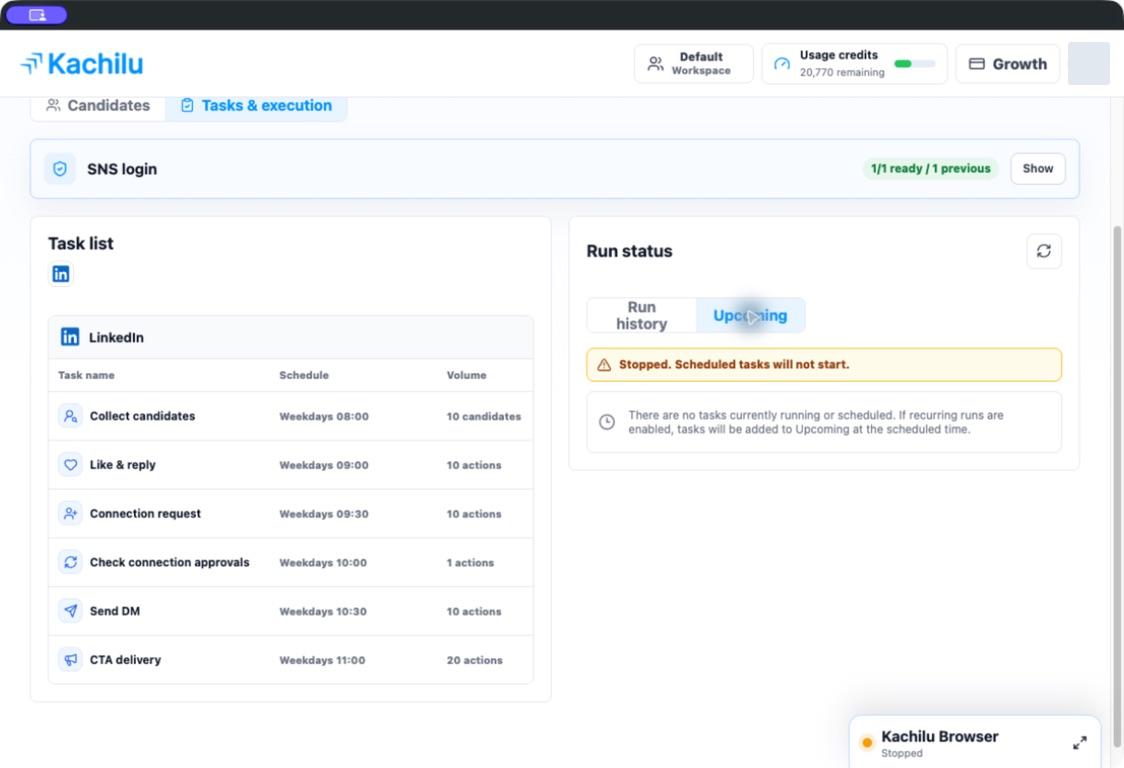
Scheduled tasks do not run while stopped
Stop on the dashboard stops current execution and future scheduled runs. A scheduled time passing does not override the stopped state.
Check login, messages, volume, and upcoming work before selecting Resume. Keep your computer and Kachilu running with an active network connection.
Related articles
Still need help?
Tell us the app version, when the problem occurred, the task type, and the message shown in the app. Do not send passwords or verification codes.
Contact support