
Execution & monitoring
Review run history and stop or resume execution
Check recipients, messages, and results in Run history, then use the dashboard or Kachilu Browser to stop, resume, or skip work.
- Updated
- Published
On this page
Open history under Tasks & execution
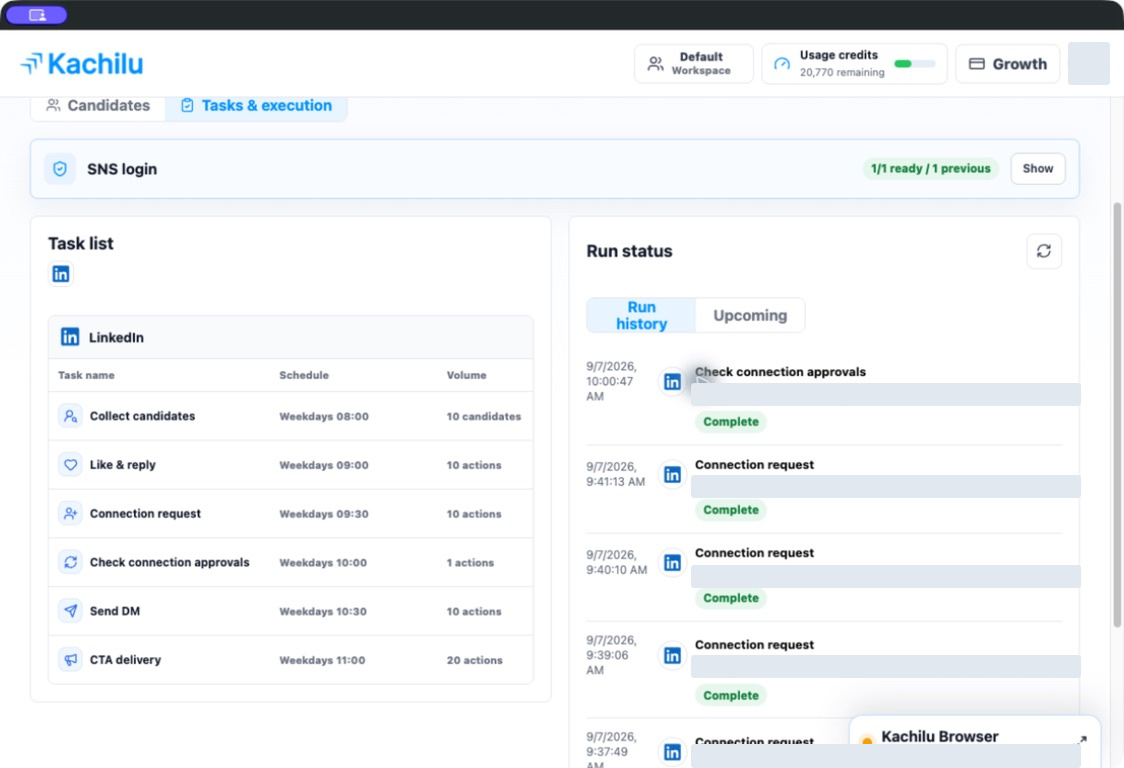
Select Tasks & execution on the dashboard and open Run history. Check the task and time, then select the action you want to review.
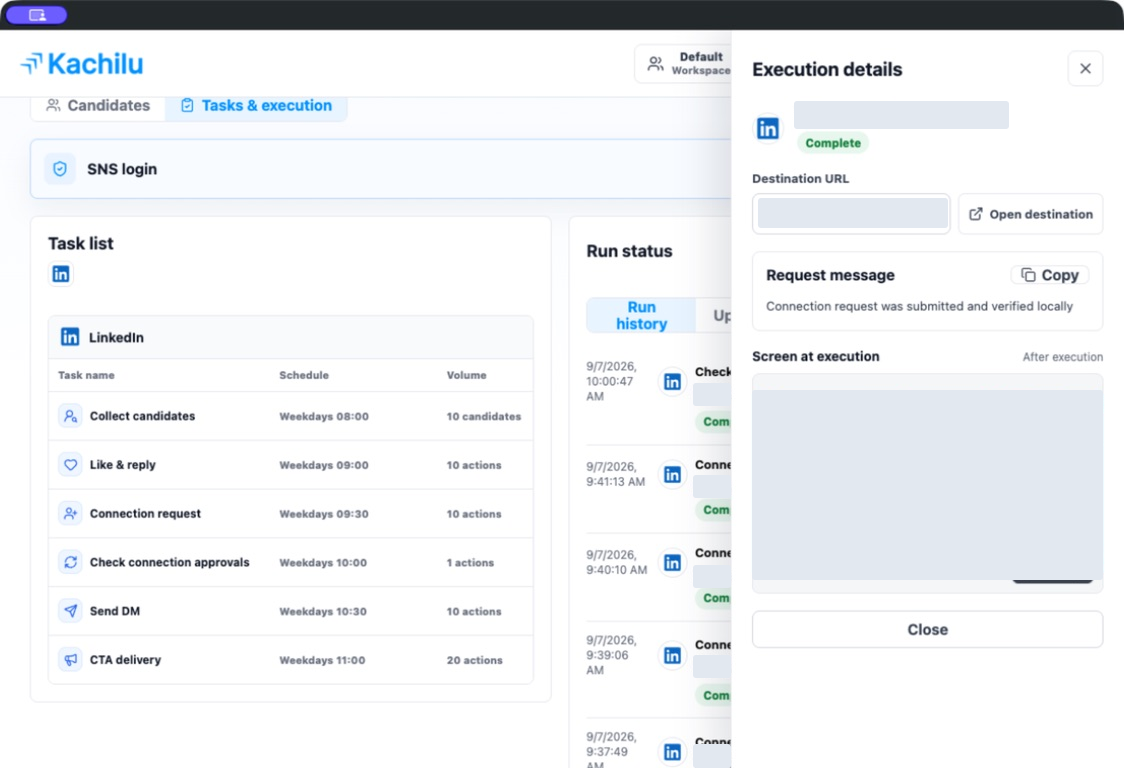
The detail view shows information such as the target URL, action, and recorded message. You can also inspect the execution screenshot when one was saved.
Read the result status
Complete, Skipped, Needs review, and Failed describe execution results. For a failure or review request, read the details before deciding on the next action.
A completed action does not establish that a prospect replied or booked a meeting. Check the candidate's stage and subsequent conversation as well.
Choose Stop, Resume, or Skip
Open Kachilu Browser to control execution while viewing the page. Execution controls are also available on the dashboard.
- Stop: stop current execution and future scheduled runs.
- Resume: continue after checking login and settings.
- Skip this task: move past the current task to the next one.
Check the last result before resuming
Stopping does not undo messages already sent or actions already completed. Review the history and LinkedIn page before resuming or retrying an action.
Related articles
Still need help?
Tell us the app version, when the problem occurred, the task type, and the message shown in the app. Do not send passwords or verification codes.
Contact support